WordPress itself
Updated promptlySecurity releases go on quickly. Larger version changes, however, go on after a short wait, once plugins have caught up.

Website Maintenance
Website maintenance for Milton small business sites: updates, backups, security and contact-form checks, so the site that brings in your inquiries keeps doing it.

A WordPress site is several pieces of software from different authors, all updating on their own schedules. So leave it for a few months and something stops fitting. Rarely does the site go down in an obvious way. Instead, the contact form quietly stops sending, or a booking button does nothing on phones.
For a Milton business that relies on newcomers finding it online, that means inquiries simply stop arriving, and the owner finds out weeks later. Website maintenance is therefore the routine work that prevents it: keep everything current, keep copies you can restore, and regularly test the parts that make you money.
Search demand
Google’s Canadian suggestions. A few searches are about planning, but most are about something already broken.
A broken form, a failed update and a hacked site are all searched for after the damage is done, and each is cheaper to prevent than to repair. That is the whole argument for maintenance — and it is why the cost questions are the right ones to ask first.
What actually goes wrong
None of them shows an error on the home page, which is why they go unnoticed.
The form says thank you, but the email is rejected as spam on the way to you. Sending through a proper mail service, then testing it, fixes it.
A plugin changes something the theme relied on. Therefore taking a backup first and checking the key pages after each update catches it.
Browsers then show a full-page warning and visitors leave. For that reason, renewal should be automatic and monitored.
An outdated plugin lets someone add spam pages or hidden links that only search engines see. In fact, we have found exactly this on local business sites.
The renewal notice went to an old email or a former designer, so the site and email go offline together. We record where each domain is held and when it renews.
What needs looking after
Each layer of a WordPress site updates separately and, as a result, fails differently.
Security releases go on quickly. Larger version changes, however, go on after a short wait, once plugins have caught up.
The most common source of both breakages and security holes. Plugins you no longer use are also removed entirely.
The PHP version your host runs also ages. An unsupported version is slower and less safe, and hosts eventually force the change.
Rarely touched and disastrous when they lapse. We keep a record of where each is held and when it expires.
The work
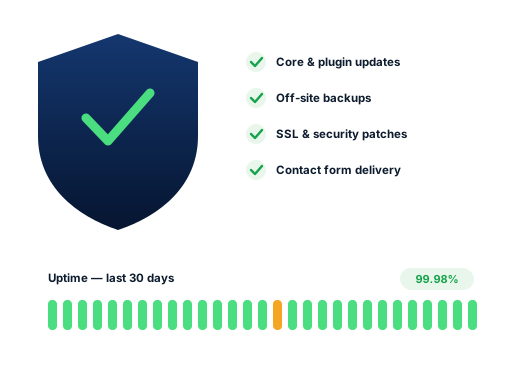
WordPress, theme and plugins kept current, with a backup before each round, as WordPress’s own update guide advises, and the main pages checked after.
Copies of files and database stored away from your hosting, so a problem at the host cannot take the backup with it.
Malware scanning, login protection, unused accounts and plugins removed, and patches applied when a weakness is announced.
The site checked around the clock, with an alert to a person when it stops responding.
Test messages sent through your forms so that you know they really land in your inbox.
New hours, holiday notices, a staff change or a new photo — send it over, and then it is done.
Done carefully
Rules we keep for every client, written down so you can hold us to them.
We look after your site. We do not take custody of it.
You stay the owner of the hosting, the domain and an administrator login. Meanwhile, we use our own login, which you can remove at any time. Anything outside the plan is described and priced before work starts.
Ask us about your business
How we work
How a Milton business goes from overlooked to the first name on the map, in four clear stages.
We review your website and Google listing and check your rankings from several spots in Milton, then show you where the gaps are.
We pick the searches worth winning near you and give each one its own page, so your pages never compete with each other.
Listing improvements, site fixes, new pages and directory work, tackled in the order that brings the biggest gains first.
Every month: rankings, visits, calls and messages, plus the plan for next month in plain English.
Questions
Website maintenance pricing depends on the size of the site and how it was built, so we quote a flat monthly amount in Canadian dollars after looking at it.
If the site brings in customers, yes. If it is a one-page placeholder nobody visits, an occasional check may be enough, and we will say so.
Usually. We start with a review to see what it runs on and whether anything is already out of date or unsafe.
Yes. Cleanup is a separate one-time job: remove the bad code, close the way in, and ask Google to re-check the site if it was flagged.
Hosting is paid to your host and stays in your name. Still, we can recommend one and manage it alongside you.
Works best alongside
Each service supports the others: a fast site helps rankings, rankings lower ad costs, and a complete listing lifts everything.
See all servicesFurther reading
Practical guides on the same subject, written for Milton business owners.
Each can be booked on its own; most Milton clients begin with one.
Milton searches differently for every trade, so each of these pages has its own research.
Ask for a free audit: your rankings from Old Milton to the new south end, the competitors ahead of you, and the first fixes worth making.
Get your free SEO audit